


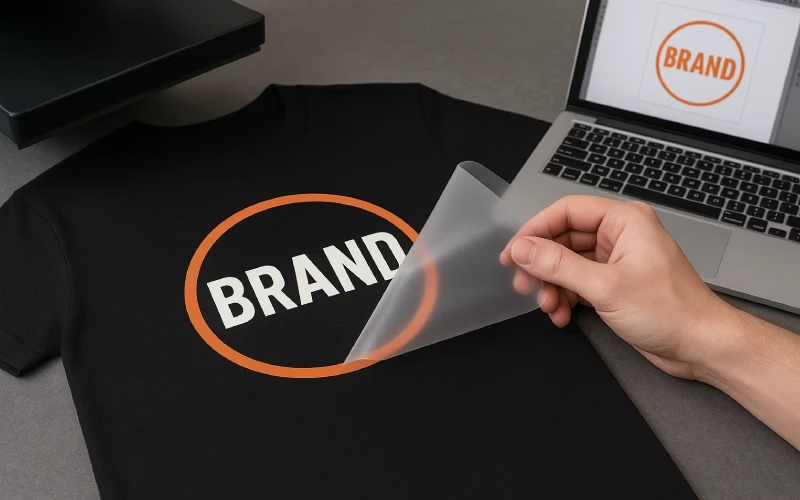
If you’re just getting into custom apparel, plastisol heat transfers are one of the easiest ways to get pro-level prints without owning a full screen-print shop. You send your design, get printed transfers back, and use a heat press to apply them whenever you need.
This guide walks you step by step from artwork → transfer → finished shirt, using simple language and real-world tips for beginners.
What Are Plastisol Heat Transfers?
Plastisol heat transfers are screen-printed designs printed onto special release paper instead of directly on the shirt.
You keep the transfers flat and clean. When an order comes in, you grab a blank shirt, line up the transfer, and press it with a heat press. The ink melts into the fabric just like a regular screen print.
Big benefits:
- You don’t need to guess sizes and print a bunch of shirts in advance.
- You get screen print quality with a lot less mess and equipment.
- You can press on demand in your bedroom, garage, or small shop.
What You Need to Get Started
You don’t need a full shop to use plastisol transfers. Here’s the basic setup.
1. A quality heat press
A real clamshell or swing-away heat press. Avoid cheap “toy” presses that don’t hold pressure and temperature evenly.
Look for:
- Even heat across the platen
- Solid pressure adjustment
- A built-in timer
2. Blank garments
Common choices:
- 100% cotton t-shirts
- Cotton/poly blends
- Hoodies, crewnecks, and sometimes tote bags or shorts
Start with shirts that are midweight, smooth, and not heavily textured.
3. Plastisol transfers
These are the printed transfers you’ll order from your supplier. You can do:
- Single designs
- Gang sheets (multiple designs on one sheet)
- Neck label transfers for branding
🔗 Link here to your gang sheet service or neck labels.
4. Basic tools
Helpful extras:
- Heat-resistant tape (optional, for tricky placements)
- A T-shirt alignment guide or ruler
- Lint roller
- Teflon sheet or parchment paper (if your supplier recommends it)
Step 1: Prepare Your Artwork
You can keep this simple, especially at the beginning.
File format
Most transfer shops prefer:
- Vector files: AI, EPS, or PDF
- Or high-resolution PNG with a transparent background
Aim for at least 300 DPI if you’re sending a non-vector file.
Colors
- Use solid colors for the cleanest plastisol prints.
- Avoid super tiny, complex details if you’re just starting.
- Make sure text is large enough to read when printed.
Size
Measure where the design will go:
- Front chest logo: often 3–4 inches wide
- Full front design: often 9–11 inches wide
- Neck labels: usually around 2–3 inches wide
Design to the actual print size you want on the shirt.
Step 2: Order Your Plastisol Transfers
Once your design is ready, upload it to your transfer supplier.
You’ll usually choose:
- Size of the print or gang sheet
- Number of colors
- Quantity of transfers
For growing brands, a gang sheet is one of the most efficient options. You can place:
- Multiple versions of your logo
- Left chest logos + big back prints
- Neck labels and sleeve prints on the same sheet
This helps you save money and reduce waste.
Step 3: Unpack and Store Your Transfers
When your transfers arrive:
- Keep them flat, not rolled or folded.
- Store them in a cool, dry place, away from direct sunlight and humidity.
- Keep them in their protective sleeve or a folder so dust and lint don’t stick to the adhesive.
Good storage means your transfers will press cleanly and last longer.
Step 4: Set Up Your Heat Press
Before you press your first shirt, dial in your press.
Temperature, time, and pressure
Every supplier gives specific instructions. Follow those first.
A lot of plastisol transfers fall roughly in this range:
- Temperature: often around 320–350°F
- Time: usually 7–15 seconds
- Pressure: medium to firm; you should feel real resistance when you lock the press down
But again, use the instructions that come with your transfers and adjust based on your test prints.
Preheating the press
Let your heat press warm up fully. Just because it hits the set temperature on the display doesn’t mean the platen is evenly hot yet. Give it a little extra time.
Step 5: Prep the Shirt and Place the Transfer
1. Load the garment
Lay the shirt flat on the lower platen. Smooth out wrinkles and pull the collar off the edge if possible so it doesn’t cause uneven pressure.
2. Quick pre-press
Close the press on the blank shirt for 3–5 seconds.
This:
- Removes moisture
- Smooths out small wrinkles
- Gives a better surface for the transfer
3. Position the transfer
Place the transfer ink-side down where you want the design. Typical placements:
- Full front design: about 2–3 inches down from the collar
- Left chest: usually directly under the left collar point or 3–4 inches from the center
Use a ruler or alignment guide at first until your eye gets used to spacing.
Step 6: Press and Peel
Now it’s time to actually press.
- Double-check your time, temperature, and pressure.
- Close the press and let it run for the full time.
- When the timer ends, open the press quickly and follow the peel instructions.
Hot peel vs. cold peel
Your supplier will specify:
- Hot peel: You peel the carrier sheet off immediately while it’s still hot.
- Warm/cold peel: You wait a bit or let it cool completely before peeling.
Peel slowly and steadily. If you see part of the design lifting:
- Lay the sheet back down
- Press again for a few more seconds
- Increase pressure slightly if needed
Some people like to press one more quick time (with a Teflon or parchment sheet on top) for a few seconds to lock in the finish. Only do this if your specific transfer type allows it.
Step 7: Check Your Print and Do a Wash Test
Don’t just press it and forget it.
Visual check
Look for:
- Smooth edges
- No gaps or pinholes
- Solid coverage of the ink
Lightly stretch the fabric around the design. The print shouldn’t crack immediately or separate from the shirt.
Wash test
Before you offer large runs to customers, wash a sample:
- Turn it inside out
- Use cool or warm water
- Normal detergent
- Tumble dry low or air dry
If the print survives a few washes without issues, you’re in a good place.
Common Beginner Mistakes (and How to Avoid Them)
1. Not enough pressure
Symptom: Parts of the design don’t fully bond, corners lift, or designs peel after washing.
Fix: Increase pressure gradually and test again. You want the press to feel firm when it locks.
2. Guessing the settings
Symptom: Cracking, under-pressed designs, or scorching shirts.
Fix: Always start with supplier instructions. Make one change at a time if you need to tweak.
3. Pressing over seams, pockets, or zippers
Symptom: Uneven prints where some areas didn’t fully transfer.
Fix: Avoid seams under the print area. Use a pressing pillow or pad if needed to raise part of the shirt.
4. Rushing the peel
Symptom: Parts of the design stick to the carrier or tear.
Fix: Follow hot or cold peel instructions exactly. If it says let it cool, let it cool.
5. Skipping test prints
Symptom: Wasting multiple shirts because you only notice issues after a full run.
Fix: Always test on one or two shirts first and do a quick wash test if possible.
Simple Starter Workflow for Your Clothing Brand
Here’s a basic routine you can use as a small brand:
- Create or update your design in your artwork software.
- Upload it to your transfer supplier and order plastisol transfers (gang sheets if possible).
- When transfers arrive, test press on a sample shirt using the recommended settings.
- Once the test looks and washes well, press shirts on demand as orders come in.
- Keep a few sizes and colors of blanks in stock so you can ship faster.
This keeps your overhead low and lets you experiment with designs without risking big piles of unsold inventory.
Final Thoughts
Plastisol heat transfers give you screen print quality without screen print headaches. With a solid heat press, good transfers, and a bit of practice, you can:
- Launch or grow your clothing brand from home
- Offer professional-looking prints and neck labels
- Keep your risk low and cash flow healthier
Start with one solid design, follow the steps in this guide, and focus on getting a clean, durable print. Once you have that down, you can scale up your designs, add new products, and build the customer base you want.